
Be honest – how many times a day do you see the “No Internet Connection” message? Whether you are traveling by train or metro, visiting a village, or simply running on a limited data plan, the internet isn’t always available. And when the internet is down, most apps just get stuck showing a loading screen. However, some apps function perfectly without consuming a single MB of data. If you are looking for excellent offline Android apps, this list will be incredibly useful. India has over 750 million smartphone users, and a vast number of them struggle with unstable connectivity daily – be it on trains, in rural areas, in basement offices, or due to limited data plans. For such users, offline apps aren’t just a luxury; they are a necessity.
So, let’s take a detailed look at 12 of the best offline Android apps across various categories – ranging from navigation and music to productivity, reading, photo editing, and gaming.
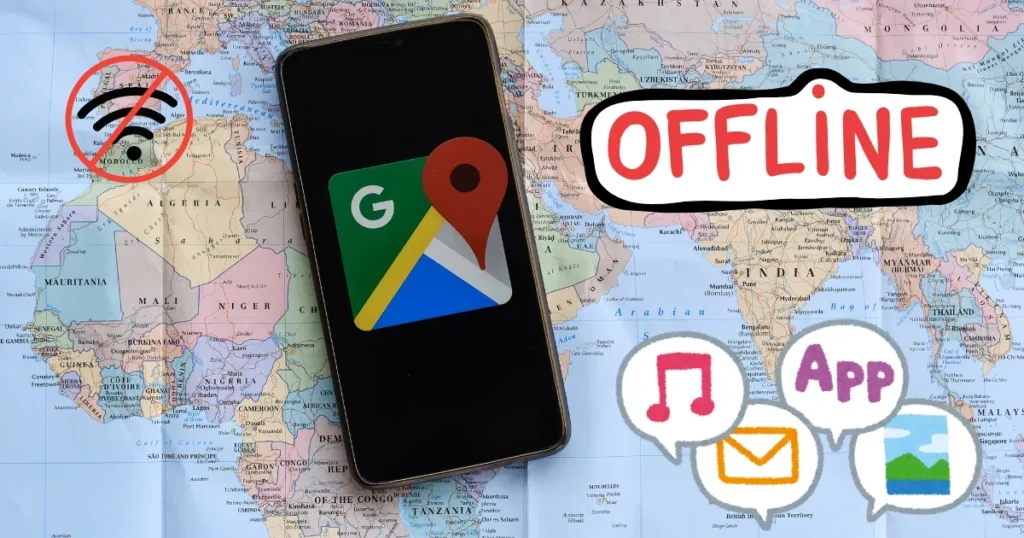
What should you look for in Offline Android Apps?
Before labeling any app as “offline,” check for the following:
A true offline app should not require mandatory account creation; it should use local data storage by default, ensure core features work without Wi-Fi, and not require syncing before use.
Beyond connectivity, offline apps offer three advantages that cloud apps simply cannot match – starting with privacy by design: if your data never leaves your device, it cannot be stolen or sold.
The key is to download your content in advance while connected to Wi-Fi, ensuring everything is ready when you need it.
1. Google Maps (Offline Maps)
Category: Navigation | Price: $0 (Free)
Google Maps is the most powerful navigation app on Android – yet most users are unaware that it works entirely offline. Before traveling, you can download maps of entire cities, regions, or countries directly to your phone. Once downloaded, full turn-by-turn navigation works without any data connection. Offline maps include roads, landmarks, restaurants, hotels, and walking paths. You can even search for nearby places while offline. This feature is essential for road trips, international travel, and visits to rural areas.
How to use offline: Open Google Maps → Tap your profile photo → Offline Maps → Select your area → Download
⚠️ Google Maps offline maps expire after 15 days and must be renewed over Wi-Fi.
2. Organic Maps
Category: Navigation | Price: $0 (Free, Open-source)
If you do not want to share your location data with Google, Organic Maps is an excellent alternative.
100% Offline: Driving, walking, cycling, hiking – no exceptions, no feature compromises. Unlimited downloads, no expiration, and no account required. Organic Maps has no download limits or expiration dates – a crucial advantage for multi-country trips.
Best for: Privacy-focused users, hikers, and travelers.
3. Musicolet – A Fully Offline Music Player
Category: Music | Price: $0 (Free)
Musicolet is an unapologetically fully offline music player. It never asks for internet permissions, meaning your music library remains local and private. With multiple queues and a gapless playback engine, it is a hidden gem for those who prefer to own their music truly.
Highlights:
- No ads, no internet permissions
- Multiple simultaneous playlist queues
- Folder-based browsing
- Lightweight – less than 5MB in size
Best for: Android users who want full control over their offline music.
4. Spotify (Offline Downloads – Premium)
Category: Music Streaming | Price: $0 (Free Basic) | Premium: $11.99/month
For years, Spotify has remained one of the best free music apps for Android. It is a top choice for discovering music and boasts a library of over 80 million songs.
⚠️ Offline downloads are available only with a Premium subscription. Offline listening is not possible in the free version.
5. Google Keep
Category: Notes/Tasks | Price: $0 (Free)
Google Keep is the simplest and fastest note-taking app that works fully even offline. You can create and edit notes, make checklists, and set reminders without an internet connection. Once you are back online, everything automatically syncs with your Google account.
Highlights:
- Color-coded notes and labels
- Voice notes and image attachments
- Checklists and reminders
- Auto-sync when connected to the internet
6. Microsoft Office / Google Docs (Offline Mode)
Category: Document Editing | Price: $0 (Free)
Offline mode is available for Google Docs, Sheets, and Slides. You simply need to enable offline access beforehand; once enabled, you can create, edit, and read documents without an internet connection. The Microsoft Office app also allows you to edit locally stored files offline.
How to enable offline mode: Google Drive > Settings > Offline > Turn on “Make recent files available offline”
7. Amazon Kindle
Category: E-book reader | Price: $0 (Free app) | Books must be purchased separately
Install the Amazon Kindle app to read your books offline. Beyond allowing you to download any book from your extensive library, the Kindle app offers several useful features for readers. It includes a built-in highlighter tool for bookmarking passages, a dictionary for learning new words in multiple languages, and rich formatting options. In addition to books, you can also store magazines and newspapers locally.
Best for: Book lovers and students who enjoy reading while traveling.
8. Kiwix – Offline Wikipedia and More
Category: Knowledge/Reference | Price: $0 (Free, Open-Source)
Kiwix is an offline reader for web content, designed primarily to make Wikipedia available offline. It reads archives in the ZIM file format, which is a highly compressed open format.
Take the best of the web offline: carry Wikipedia, TED Talks, Project Gutenberg’s free library, Stack Exchange forums, and much more with you! No internet required!
Highlights:
- This is a non-profit app, meaning Kiwix Offline neither displays ads nor collects user data.
- Multilingual support: The user interface is available in over 110 languages.
- You can also download the Hindi Wikipedia.
Best for: Students, researchers, and those who need information without the internet.
9. Pocket – Offline Article Reader
Category: Reading | Price: $0 (Free Basic) | Premium: $4.99/month
Pocket is designed for a single purpose: allowing you to save articles and read them offline. It strips away web clutter to save a clean, text-focused version.
Your saved articles sync across all devices. Pocket is perfect for commuters, travelers, or anyone who wants to read quality content without burning mobile data or relying on a live internet connection.
Best for: Readers who want to curate long-form articles and enjoy them offline.
10. Snapseed – Professional Photo Editor (Fully Offline)
Category: Photo Editing | Price: $0 (Completely free – no ads, no subscriptions)
Snapseed is a professional-grade photo editor developed by Google that works entirely offline. It features 29 powerful editing tools and filters – ranging from basic adjustments like brightness, contrast, and cropping to advanced features such as selective editing, perspective correction, and healing brushes. Unlike many cloud-based editing apps that upload your photos to a server, Snapseed processes everything locally on your device.
In 2026, Snapseed remains completely free – with no ads, subscriptions, or in-app purchases. It continues to be one of the most downloaded editing apps on both iOS and Android – and unlike almost every competitor, it has never introduced subscriptions, paywalled features, or displayed ads.
11. Hill Climb Racing 2 – Casual Offline Game
Category: Gaming | Price: $0 (Free, ad-supported)
Popular offline gaming titles include games like Hill Climb Racing, Temple Run, Real Racing, Shadow Fight, Dream League Soccer, and Sudoku. These games offer a complete gaming experience without the need for constant updates or login connections.
Hill Climb Racing 2 is one of the most popular offline games in India. It features physics-based driving, a variety of vehicles, and numerous tracks – all without requiring an internet connection.
12. VLC Media Player – Offline Video and Audio Player
Category: Media Player | Price: $0 (Free, Open-source)
VLC is the most reliable offline media player on Android. It supports almost every format – MP4, MKV, AVI, FLV, MP3, FLAC – without requiring the installation of any additional codecs. It features no ads, no tracking, and requires no internet permissions.
Highlights:
- Support for all audio and video formats
- Subtitle support (.srt, .ass, .ssa)
- Background playback (audio mode)
- Network streaming, but core functions work entirely offline
- Open-source and ad-free
Comparison Table – At a Glance
| App | Category | Price | Fully offline | Is an account necessary? |
|---|---|---|---|---|
| Google Maps | Navigation | $0 | ✅ (After downloading) | Google Account |
| Organic Maps | Navigation | $0 | ✅ | ❌ |
| Musicolet | Music | $0 | ✅ | ❌ |
| Spotify | Music | $11.99/Monthly (Offline) | ⚠️ Premium Required | Yes |
| Google Keep | Notes | $0 | ✅ | Google Account |
| MS Office/GDocs | Document | $0 | ✅ (After setup) | Yes |
| Amazon Kindle | E-book | $0 App | ✅ (After downloading) | Amazon Account |
| Kiwix | Knowledge | $0 | ✅ | ❌ |
| Reading | $0 Basic | ✅ (After saving) | Yes | |
| Snapseed | Photo Editing | $0 | ✅ | ❌ |
| Hill Climb Racing 2 | Gaming | $0 | ✅ | ❌ |
| VLC | Media Player | $0 | ✅ | ❌ |
Visit fixtech.in for more Android troubleshooting guides and tech tips – you will find detailed, step-by-step instructions in simple steps.
What points should be kept in mind while using Offline Android Apps?
- It is important to download your content beforehand while connected to Wi-Fi so that everything is ready when you need it.
- Manage storage – downloading offline maps, music, and Wikipedia content can take up a lot of space, especially on 64GB phones.
- Keep in mind that most apps need to go online occasionally to ensure your downloaded content stays up to date.
- Save battery – offline apps consume less power since there is no background data syncing.
- Use Airplane Mode – when you know internet access won’t be available, turning on Airplane Mode saves battery and allows offline apps to run more smoothly.
FAQs – About Offline Android Apps
Q1: What are some excellent offline Android apps that are completely free?
Musicolet (music), Kiwix (Wikipedia), Organic Maps (navigation), Snapseed (photo editing), VLC (media player), and Google Keep (notes) – all of these are 100% free, require no subscription, and work entirely offline. When choosing offline Android apps, check whether the app requests internet permissions.
Q2: How do I use Google Maps offline?
Before traveling, you can download maps of entire cities, regions, or countries directly to your phone. Once downloaded, full turn-by-turn navigation works without data. Google Maps → Profile → Offline Maps → Select Area → Download.
Q3: How much storage space does downloading Wikipedia on Kiwix require?
For reference, some editions take up about 37 GB (with images) and around 9 GB (text-only). From the download section, you can choose collections like Wikipedia (with or without images), Wiktionary, or TED Talks. File sizes vary significantly depending on the content. The Hindi Wikipedia is quite small and can fit even on budget phones.
Q4: Can I listen to Spotify songs offline for free?
No. Offline downloads on Spotify are available only with a Premium subscription ($11.99/month). The free version requires an internet connection. If you want completely free offline music, use Musicolet – it lets you listen to songs stored on your phone without the internet.
Q5: Which Offline Android Apps do not require creating an account?
Musicolet, Organic Maps, VLC, Kiwix, and Snapseed – none of these require account creation, logins, or internet permissions. They all start working immediately after installation.
Q6: Do Offline Android Apps consume less battery?
Yes. Offline apps do not perform background data syncing, push notifications, or network requests, which saves a significant amount of battery. Using offline apps in Airplane Mode saves even more battery.
Final Thoughts
The best offline Android apps of 2026 can make your phone fully functional even without an internet connection – covering everything from navigation and music to reading, photo editing, and gaming. The apps featured in this guide prove that your Android device can remain productive, entertaining, and useful without any connectivity. Just remember to download content in advance when you have Wi-Fi, manage your storage, and use Airplane Mode. Apps like Google Maps for navigation, VLC for video, Kiwix for knowledge, and Google Keep for notes are all completely free and available on the Play Store. If you know others looking for great offline Android apps, feel free to share this list with them. Keep visiting fixtech.in for more helpful guides like this!