
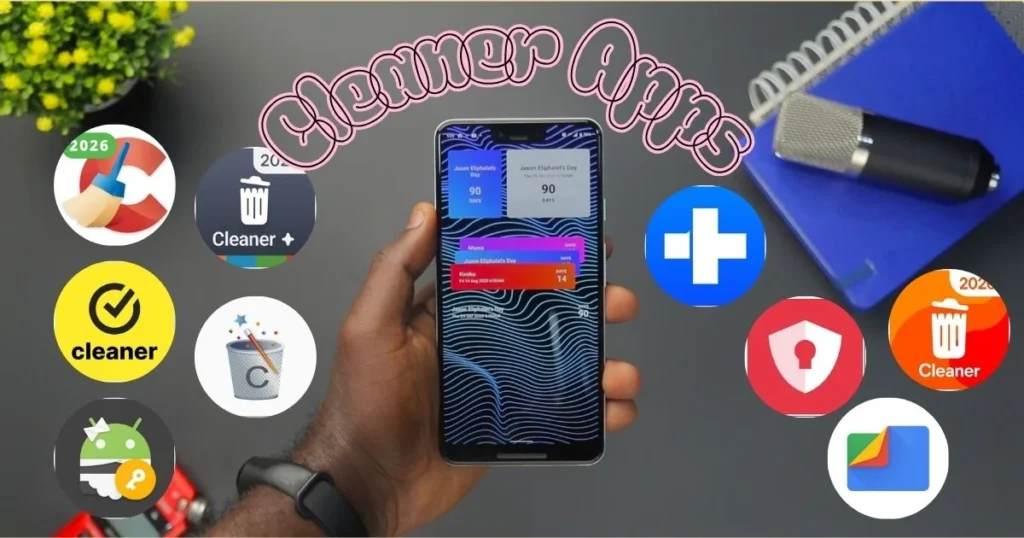
Has your Android phone suddenly slowed down? A notification pops up – “Storage Full” – and you find yourself wondering, “But I haven’t even downloaded anything new!” This is a frustration that almost every Android user encounters. In reality, every time you launch an app, watch a video, or open a website, unwanted data accumulates on your phone. Over time, this buildup becomes so substantial that it becomes nearly impossible to manage without the help of cleaner apps.
That is why, today, we will be discussing the best file cleaner apps for Android – apps that actually work, are safe to use, and can restore your phone to a like-new condition. Whether you own a Samsung, Xiaomi, Realme, or any other Android device, this guide is for you.
Why Do Junk Files Accumulate on Android Phones?
First, let’s understand why this happens. When you launch an app – say, YouTube – it saves some of its data on your phone so that the app opens faster the next time you use it. This is called a cache. Now, this cache does not delete itself automatically; over time, it continues to grow.
Apart from this, other things consume storage space:
- Residual files – Some data from apps you have uninstalled gets left behind
- Duplicate photos and videos – Countless photos received from WhatsApp and Instagram
- Temp files – Temporary files created by apps during operation
- Old downloads – APK, PDF, and ZIP files that you have forgotten about
- Broken downloads – Incomplete downloads that are sitting idle
All of this combined can consume several GBs of storage space. A good Android cleaner app identifies and clears these items precisely.
Benefits of Using a Cleaner App
To get straight to the benefits:
- Storage space is freed up – sometimes up to 2–5 GB.
- Phone speed increases – apps run more smoothly as the cache is cleared.
- Battery life improves – apps running in the background are shut down.
- Privacy is enhanced – browser history and clipboard data are cleared.
- Overheating is reduced – the phone heats less as RAM is optimized.
Now, let’s talk about the apps that actually do what they’re supposed to do.
10 Best File Cleaner Apps for Android
1. Files by Google – The Most Trusted Free Cleaner App
If you decide to try just one app, it should be Files by Google. Developed by Google itself, it is a tool you can trust completely.
What does it do?
Files by Google scans your phone and identifies areas where space can be freed up. Its “Review and Free Up” card is incredibly smart – it automatically identifies which files are safe to delete. You don’t need to search for anything manually.
Key Features:
- Junk File Cleaner – Automatically identifies old APK files, duplicate downloads, and trash.
- Duplicate Photo Finder – Finds forwarded photos from WhatsApp and similar images.
- Offline File Sharing – Share files with friends at speeds faster than Bluetooth.
- Smart Suggestions – Recommends which apps to uninstall that you haven’t opened in months.
- File Manager – Also serves as a clean and fast file browser.
How free is it? It is completely free – no ads, no hidden charges.
It lacks advanced power-user features, such as scheduled auto-cleaning or database optimization.
Rating: ⭐ 4.5/5
Download: Search for “Files by Google” on the Google Play Store.
2. CCleaner – The World’s Most Popular Cleaning App
CCleaner is a household name among PC users, and it proves to be incredibly useful on Android as well. Developed by Piriform, it boasts over 100 million downloads – a testament to its immense popularity.
What does it do?
CCleaner performs a thorough analysis – going beyond just the cache to examine the impact of every individual app. It identifies which apps are draining your battery, which ones are consuming excessive data, and which apps you haven’t opened even once in the last three months.
Key Features:
- Quick Clean – Clear hidden cache, clipboard data, browser history, and residual files with a single tap
- Photo Optimizer – Compresses large photos without compromising quality – sometimes saving up to 1 GB of space
- App Hibernation – Hibernate apps you don’t need running in the background (such as news apps); battery life improves noticeably
- App Manager – Uninstall multiple apps simultaneously
- Adviser – Suggests what to clean next
Free vs. Paid: The free version contains some ads, but all essential features are available for free. CCleaner Pro costs approximately $2.99 per month and offers scheduled cleaning as well as an ad-free experience.
In the free version, the cache can be cleared for only one app at a time; upgrading to the Pro version is required for bulk clearing.
Rating: ⭐ 4.3/5
Download: CCleaner – Google Play Store
3. SD Maid – The Best Cleaner for Power Users
SD Maid is the app that goes where other apps don’t. If you are tech-savvy and want complete control over your phone, then SD Maid is for you.
Why is it called a “Forensic Tool”?
SD Maid’s CorpseFinder feature tracks down leftover data from apps you uninstalled long ago. In testing – on a phone that was considered “well-maintained” – CorpseFinder uncovered over 1 gigabyte of hidden data. That is truly impressive.
Key Features:
- CorpseFinder – Finds and deletes leftover data from uninstalled apps
- StorageAnalyzer – Displays a color-coded map showing which folders are consuming the most space
- SystemCleaner – Removes temporary files, empty folders, and orphaned files
- AppControl – Manage installed apps at a deep level
- Scheduled Cleaning – Automatic, silent cleanup every week
- Database Janitor – Optimizes app databases to improve performance
Free vs. Paid: The free version of SD Maid is quite capable. SD Maid Pro is priced at $3.49 (one-time).
It can be a bit complicated for beginners.
Rating: ⭐ 4.6/5
Download: Search for “SD Maid” on the Google Play Store.
4. AVG Cleaner – Simple and Fast for Daily Cleanup
AVG is a well-known cybersecurity brand, and its cleaner app is just as reliable. If you are looking for a simple, fast, and effective app for your daily junk removal needs, AVG Cleaner is an excellent choice.
The Magic of Quick Clean:
AVG Cleaner’s new “Quick Clean” button displays everything on a single page – obsolete files, hidden junk, poor-quality photos, and battery-draining apps – and the cleaning process takes just a few seconds.
Key Features:
- Auto Cleaning (PRO) – You decide what gets cleaned and how often; AVG handles the rest automatically.
- Photo Cleaner – Automatically identifies blurry, overexposed, and duplicate photos; if AVG is unsure, it asks you to confirm.
- RAM Optimizer – Manages background apps.
- Battery Drain Finder – Shows which app is consuming the most battery power.
- App Manager – Easily uninstall unused apps.
Free vs. Paid: The free version includes all basic features. AVG Cleaner PRO costs $14.99 per year and offers auto-cleaning and deep optimization.
Rating: ⭐ 4.3/5
Download: AVG Cleaner – avg.com
5. Norton Clean – Cleaning with Security
The mere mention of the name Norton instills a sense of trust. This is the very company that has been developing antivirus software for decades. Norton Clean is a free cleaner app that not only clears out junk but also looks after your phone’s security.
Who is it best suited for?
If you are highly active online – downloading all kinds of apps and browsing various websites – then, in addition to cleaning, Norton Clean will also alert you to which apps are suspicious or could pose a threat to your privacy.
Key Features:
- Junk File Remover – effortlessly clears cache, residual files, and temporary data
- App Manager – identify and remove unused apps to free up extra memory
- Privacy Scanner – reveals which apps are accessing more data than necessary
- Malware Protection – protection against harmful apps
- Storage Analyzer – provides a clear breakdown of what is taking up how much space
Free vs. Paid: Norton Clean is completely free. However, if you opt for Norton 360, you get even more advanced security features – starting at $39.99 per year.
Rating: ⭐ 4.2/5
Download: Search for “Norton Clean” on the Google Play Store.
6. TotalAV – The Best Cleaner with Real-Time Protection
TotalAV is an app that functions as both a cleaner and an antivirus. If you are looking for both features in a single app, TotalAV is a solid choice.
In our testing, TotalAV outperformed many other apps in real-time threat detection. As soon as you install a new app, TotalAV scans it immediately.
Key Features:
- Junk File Scanner – Identify and remove all junk files with a single tap
- Real-Time Malware Scanning – Automatically scans every new app as soon as it is installed
- System Tune-Up – Optimizes your phone’s performance
- Startup Manager – Decide which apps launch during boot-up
- VPN (In Pro version) – For safe browsing
- Password Manager (In Pro version)
Free vs. Paid: The TotalAV Free version includes basic cleaning features. TotalAV Pro starts at $29 per year.
Rating: ⭐ 4.2/5
Download: Search for “TotalAV” on the Google Play Store.
7. 1Tap Cleaner – Utterly Simple, Done in a Single Tap
For those who prefer to steer clear of complicated apps, 1Tap Cleaner is the perfect choice. As the name suggests, just one tap, and your phone is clean.
Who is it for?
If you are a user who simply wants to quickly clear the cache without dealing with any complicated settings, then this app was made for you.
Key Features:
- 1-Tap Cleaning – Clear cache and temporary files with just a single tap
- History Cleaner – Remove browser history, call logs, and clipboard data
- Auto-Clean on Schedule – Automatic cleaning at a scheduled time
- Widget Support – Clean directly from the home screen without opening the app
- Lightweight – Consumes very little storage space
Free vs. Paid: The free version includes everything. The Pro version removes ads for $1.49.
Rating: ⭐ 4.1/5
Download: Search for “1Tap Cleaner” on the Google Play Store.
8. Avast Cleanup – Clean Interface, Genuine Results
Avast is another trusted security brand. Its Cleanup app is lightweight, features a clean interface, and genuinely works – without those fake “Optimizing…” animations that some cleaner apps display.
Key Features:
- Residual File Remover – Finds leftover files through a deep scan
- Cache Cleaner – Clears the cache for all apps simultaneously
- Storage Optimizer – Identifies large files and duplicate data
- App Updater – Provides reminders to update outdated apps
- Ad-Free Experience – Avast Cleanup is ad-free
Free vs. Paid: The free version offers basic features. Avast Cleanup Premium provides automatic cleaning and hibernation for $1.99 per month.
Rating: ⭐ 4.2/5
Download: Search for “Avast Cleanup” on the Google Play Store.
9. All-In-One Toolbox – Everything in One App
All-In-One Toolbox is designed for users who wish to manage their entire phone from a single app. It is a comprehensive toolkit that includes various maintenance tools alongside cleaning utilities.
Key Features:
- Auto Cache Cleaner – Automatically clears the cache on an ongoing basis
- Browser History Cleanup – Clears data from all browsers simultaneously
- APK Remover – Deletes residual APK files left behind after app installation
- Task Finalizer – Instantly terminates tasks running in the background
- CPU Cooler – Helps prevent overheating
- Storage Analyzer – Provides a detailed breakdown of how much space is being occupied by what
Limitation: Driver installation can be a bit complicated.
Free vs. Paid: The basic version is free. All features are unlocked in the Premium version for $1.99/month.
Rating: ⭐ 4.1/5
Download: Search for “All-In-One Toolbox” on the Google Play Store.
10. Dr.Fone – Data Eraser – When Deep Cleaning Is Needed

Technically, Dr.Fone – Data Eraser isn’t just a cleaner – it is a power tool. If you are planning to sell your phone or gift it to someone, it is essential to permanently erase your data using Dr.Fone beforehand.
Simply clearing the regular cache leaves your data recoverable. Dr.Fone erases it in such a way that not even a data recovery app can retrieve it.
Key Features:
- Permanent Data Erasure – permanently delete all personal data
- Junk File Cleaner – remove cache, temp files, and residual data
- Privacy Protection – browsing history, contacts, and messages are all permanently erased
- Quick Erase Mode – for fast cleaning
- Deep Scan Mode – for thorough cleaning
Free vs Paid: The basic version of Dr.Fone is free. The full version costs approximately $39.95 per year.
Rating: ⭐ 4.4/5
Download: Dr.Fone – Wondershare
Comparison Table – Everything at a Glance
| App | Free? | Ads | Auto-Clean | Best For |
|---|---|---|---|---|
| Files by Google | Completely free | No | No | Beginners |
| CCleaner | Free + Pro ($2.99/mo) | They are free. | In Pro | Daily use |
| SD Maid | Free + Pro ($3.49 one-time) | No | Yes | Power users |
| AVG Cleaner | Free + Pro ($14.99/yr) | They are free. | In Pro | Photos cleanup |
| Norton Clean | Completely free | No | No | Security-conscious |
| TotalAV | Free + Pro ($29/yr) | No | In Pro | Antivirus + cleaning |
| 1Tap Cleaner | Free + Pro ($1.49) | They are free. | Yes | Simple use |
| Avast Cleanup | Free + Premium ($1.99/mo) | No | In Pro | Lightweight |
| All-In-One Toolbox | Free + Premium ($1.99/mo) | They are free. | Yes | Multi-tool |
| Dr.Fone Data Eraser | Free + Full ($39.95/yr) | No | No | Phone selling |
Which App Is Right for You?
If you are trying a cleaner app for the first time: → Files by Google – trusted, ad-free, and completely simple.
If you need deep cleaning: → SD Maid – the most thorough cleaning; it even removes leftover files.
If you want regular maintenance: → CCleaner or AVG Cleaner – both are excellent options.
If security is also a priority: → TotalAV or Norton Clean – offers protection alongside cleaning.
If you are selling your phone: → Dr.Fone Data Eraser – permanently erase your data.
If you want the job done with just a single tap: → 1Tap Cleaner – absolutely simple.
What to Keep in Mind – When Using Cleaner Apps
Here are some important tips that many people tend to ignore:
✅ Safe Habits:
- Perform a cleaning once a week – not daily, as doing so offers no significant benefit.
- Use only trusted apps (from the list provided above).
- Grant app permissions carefully – a cleaner app does not require access to your SMS or contacts.
- Do not delete system files unless you are certain of what they are.
❌ Avoid:
- Apps that display fake animations in the name of “boosting.”
- Apps that show “5000 threats found!” without performing a scan
- Apps that request excessive permissions
- Cleaner apps downloaded from outside the Play Store
Free Cleaner Tools – Without Downloading Any Apps
Sometimes, there is no need for an extra app. Android offers several built-in options:
Files by Google (Free): Available for free on the Google Play Store – detailed above.
Android Built-in Storage Settings: Settings → Storage → Cached Data → Clear
Google Photos’ “Free Up Space”: If you use Google Photos, it features a “Free Up Space” option that removes photos that have already been backed up from your phone.
Device Care (Samsung): On Samsung phones, Settings → Device Care → Storage → Clean Now serves as a quite decent built-in cleaner.
To read more about troubleshooting in detail, Android tips, app reviews, and tech guides, visit fixtech.in.
FAQs – About Cleaner Apps
Q1: Do Cleaner Apps actually work?
Yes, but choosing the right app is crucial. Apps like Files by Google, CCleaner, and SD Maid genuinely free up storage and improve phone performance. However, apps that merely display flashy animations and pretend to offer a “speed boost” are useless.
Q2: Is it okay to clear the cache every day?
Clearing the cache every day can actually be somewhat counter-productive. The cache exists specifically to help apps load faster. If you clear it daily, apps will have to start from scratch every time. It is better to clean it once a week or whenever necessary.
Q3: Can Cleaner Apps put personal data at risk?
The apps mentioned above (Files by Google, CCleaner, SD Maid, AVG, Norton) are all trusted. However, many fake cleaner apps on the Play Store can steal your data. Always read app reviews and check the permissions requested.
Q4: Do Cleaner Apps make a phone faster?
Not directly, but indirectly, yes. Android tends to slow down when storage starts to fill up. Clearing the cache and junk files certainly leads to some improvement. However, if your phone’s hardware itself is outdated, a cleaner app cannot perform miracles.
Q5: Which is the safest Cleaner App?
Files by Google is the safest option because it was developed by Google itself. It contains no ads and requires no suspicious permissions.
Q6: Do Cleaner Apps boost RAM?
Some apps close background processes, which temporarily frees up RAM. However, Android’s built-in memory management system is quite smart – it automatically keeps essential apps in RAM while clearing out the rest. Therefore, a “RAM Boost” isn’t particularly effective.
Q7: Should I buy SD Maid Pro?
If you are a power user looking to perform deep cleaning, then yes – SD Maid Pro requires a one-time payment of $3.49, which is quite reasonable. Its features are very useful.
Q8: How do Cleaner Apps help save 4G/5G data?
CCleaner and AVG Cleaner feature a tool that identifies which apps are consuming the most data in the background. Restricting these apps helps conserve data.
Q9: Do these apps work on Android 13/14?
Yes, all the apps listed above are compatible with the newer Android versions (Android 13 and 14).
Q10: Can photos be deleted by a cleaner app?
Yes, photos can be deleted if you use the “Delete Duplicates” feature. Therefore, always verify exactly which photos are being deleted. It is a good practice to create a backup in Google Photos or your device’s gallery beforehand.
Bonus Tips – Prevent Your Phone from Slowing Down
Along with cleaner apps, these habits will keep your phone fast at all times:
- Keep your apps updated regularly – developers frequently release performance fixes.
- Avoid using Live Wallpapers – they consume RAM.
- Do not place too many widgets on your Home Screen – every widget fetches updates in the background.
- Clear your WhatsApp media folder monthly – it is the biggest storage hog.
- Check your Downloads folder regularly – keep deleting old files.
- Disable auto-starting apps – Go to Settings → Apps to see which apps launch at boot-up.
- Do not let your internal storage exceed 80% capacity – the fuller the storage, the slower your phone will become.
Conclusion
Today, we explored the best file cleaner apps for Android, a list that includes Files by Google, CCleaner, SD Maid, AVG Cleaner, Norton Clean, TotalAV, 1Tap Cleaner, Avast Cleanup, All-In-One Toolbox, and Dr.Fone. Each app possesses its own unique strengths – some prioritize simplicity, others offer deep cleaning capabilities, while others focus on security features.
If you are trying a cleaner app for the first time, start with Files by Google – it is free, safe, and surprisingly effective. If you require greater control and customization, consider SD Maid or CCleaner.
Remember: the best cleaner app is the one that best suits your specific needs. Therefore, evaluate your usage habits, cross-reference them with the list above, and select the app that is right for you. Incorporate these cleaner apps into your routine to keep your phone running fresh and fast.